



The GoHighLevel Jobber integration question comes up with almost every home-service business we talk to. Jobber runs the jobs: quotes, scheduling, crews, invoices. GoHighLevel runs the marketing: ads, lead capture, instant replies, follow-up and reviews. Owners want both, without retyping every new lead into the second system or texting customers from two different numbers.
Since late 2025 there has been an official integration, and it does part of the job well. This guide covers exactly what it syncs as of November 2026, the gaps it leaves, how Zapier and Jobber's API fill them, and how to split the work between the two systems so nothing gets sent twice. Facts come from HighLevel's and Jobber's own help centers, Zapier's Jobber documentation and Jobber's developer docs.
Quick Verdict: Contacts Sync Well, Jobs Need More Work
The official app keeps clients in sync between the two systems, and that alone removes most double entry. It does not reliably move quotes, jobs or invoices, so anything that depends on a quote being approved or an invoice being paid still needs Zapier, Make or a custom build. Decide which system sends which message before you connect anything, or customers will get duplicates.
| What you want | Native app | Zapier | Custom API |
|---|---|---|---|
| New Jobber clients appear in GoHighLevel | Yes | Yes | Yes |
| GoHighLevel leads appear in Jobber | Yes, as clients | Yes, as clients or requests | Yes |
| Quote sent or approved starts a GoHighLevel workflow | Not documented | Yes | Yes |
| Job closed triggers a review request | Claimed in marketing, test first | Yes | Yes |
| Invoice paid triggers a thank-you | No | Workaround with a filter | Yes |
| Notes, attachments and custom fields | No | Partly | Yes |
Why Home-Service Businesses Use Both
Jobber is built around the job. Its scheduling, crew app, quoting and invoicing are hard for a marketing platform to match. GoHighLevel is built around the lead: it captures enquiries from ads, forms, calls and chat, replies within seconds, and keeps following up until the customer books. Our home services guide covers what it does for trades in more detail.
Take a bathroom remodeler. A homeowner clicks a Facebook ad, fills in a form and gets a text back in under a minute. The office books a site visit, and the estimator builds the quote in Jobber. From that point the remodeler wants Jobber to own the quote, the job and the invoice, and GoHighLevel to chase the quote, ask for the review and stay in touch for the next project. That handover is what the integration has to carry.
What the Official Integration Syncs
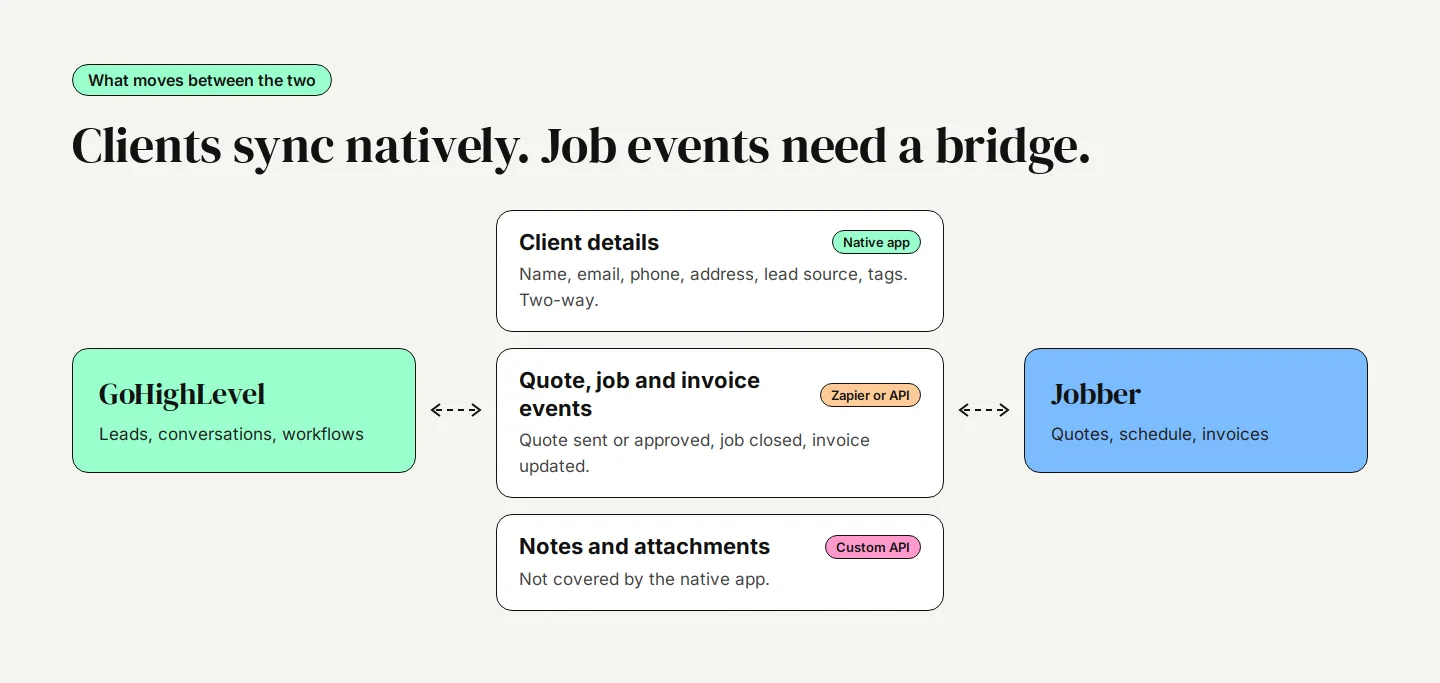
Jobber announced the integration on September 18, 2025, and HighLevel's setup article describes a two-way sync of client records, matched by Jobber client ID. These fields move between the two systems:
- First name, last name, email, phone and address
- Lead source and tags
- Jobber client URL and the date the client was created in Jobber
It also includes a snapshot with starter workflows, and it can import past clients from a start date you choose. White-labeled accounts see the same app under the name LeadConnector.
What It Doesn't Do
HighLevel's help article is clear about the limits, and they matter more than the feature list.
- No notes, attachments or custom fields: Site photos, job notes and anything in a Jobber custom field stay in Jobber.
- One sub-account per Jobber account: You can't connect one Jobber account to two GoHighLevel locations.
- No pause button: The only way to stop syncing is to disconnect the app from Jobber's side.
- No sync logs: If a record doesn't come across, there is no log to tell you why.
- The import date is permanent: You set the historic start date once and can't change it later.
- Large imports are slow: The first sync runs at about 2,500 records every five minutes, which is Jobber's API limit.
The job status question
Here the sources disagree. Jobber's marketplace listing mentions syncing jobs and job updates, and HighLevel's marketing page promises review requests the moment Jobber marks a job complete. HighLevel's help article lists only client fields. Until you have seen a job-status trigger fire in your own account, plan as if quote, job and invoice events need a separate connection.
How to Connect the Native App
- An agency admin installs the Jobber app from the HighLevel App Marketplace. Sub-accounts can't see it until the agency installs it. Check the price shown on the listing when you install.
- In the sub-account, open Installed Apps, choose Jobber and click Connect, then sign in to Jobber and approve access.
- Choose the start date for importing past clients. Pick carefully: it can't be changed.
- Load the included snapshot if you want the starter workflows, then review each one before publishing it.
- Create a test client in each system and confirm it appears in the other, with the right phone format and tags.
Before the first sync, clean duplicates in both systems. Jobber has no client merge tool, and an import multiplies whatever mess already exists. In GoHighLevel, turn off Allow Duplicate Contact under Settings, Business Profile, so new records match on email or phone.
Filling the Gaps With Zapier
Zapier is the quickest way to move quote, job and invoice events. According to Zapier's Jobber guide, updated January 2026, Jobber offers these instant triggers:
| Area | Triggers | Actions |
|---|---|---|
| Clients | New Client Created, Client Updated | Create Client, Find or Create Client, Add Tags to Client |
| Requests | New Request Created | Create Request, Add Note to Request |
| Quotes | New Quote Created, Quote Sent, Quote Approved | Create Quote |
| Jobs | New Job Created, Job Updated, Job Closed | Create Job |
| Invoices | New Invoice Created, Invoice Updated | None |
On the GoHighLevel side, the LeadConnector app on Zapier can add or update a contact, add or update an opportunity, add a contact to a workflow, stop all workflows for a contact, and add a task. Its trigger is Pipeline Stage Changed.
Limits to know
- Jobber plan: Zapier access needs Jobber Connect or higher. It isn't available on Core.
- No Invoice Paid trigger: Use Invoice Updated with a Filter step that checks the status is paid. Filters and multi-step Zaps need a paid Zapier plan, from $19.99 a month billed annually.
- First property only: Create Request, Create Quote and Create Job always use the client's first property, which matters for landlords and multi-site customers.
- Connected user: If the Jobber user who connected Zapier is deactivated, every Zap stops.
Three Zaps cover most needs: Quote Sent in Jobber moves the GoHighLevel opportunity to Quote Sent, Quote Approved stops the follow-up, and Job Closed (or a paid invoice) adds a tag that starts the review request. Our quote follow-up workflow tutorial shows the GoHighLevel side of that setup.
When You Need the Jobber API
Zapier gets expensive at volume and can't carry everything. A custom connection through Jobber's GraphQL API can sync line items, custom fields and payments, and react to events Zapier doesn't expose. Jobber's webhook documentation shows what a developer has to handle:
- Webhooks carry only the event type and record ID, so the receiver has to query the API for the details.
- The receiving server must answer within one second, and the same event can arrive more than once. Adding a payment, for example, fires an invoice update twice about a second apart, so every step has to ignore repeats.
- Requests are limited to 2,500 every five minutes per account, plus a query-cost budget.
On the GoHighLevel side, the Inbound Webhook trigger and Custom Webhook action are premium workflow features: the first 100 runs per sub-account are free, then each costs $0.01. A GoHighLevel developer can build this kind of connection with a small middle service that removes duplicates and maps fields.
Common Problems and How to Avoid Them
- Review requests sent twice: Jobber's Reviews tool asks for a review when a job closes, a visit completes or an invoice is paid. If GoHighLevel also sends one, the customer gets both. Pick one system and switch the other off.
- Texts from two numbers: Jobber's two-way texting needs its own dedicated number with its own A2P registration, separate from your GoHighLevel number. Customers then hear from two numbers. Keep marketing and follow-up texts in GoHighLevel, and limit Jobber to appointment and on-my-way texts, or switch Jobber texting off.
- Duplicate clients: Jobber's online request form creates a new client even for existing customers, and Jobber can't merge them. Route enquiries through GoHighLevel forms instead and let the sync create the Jobber client.
- Sync loops: A two-way Zap on client updates can bounce changes back and forth. Make each Zap one-way, or tag the source and filter on it.
- Follow-up after the job was won: Jobber's own automated quote follow-ups (on Connect and above) can run alongside a GoHighLevel sequence. Turn one off.
Bottom line: Most integration problems are not technical. They come from two systems both trying to talk to the customer. Decide who owns each message first.
Who Should Own What
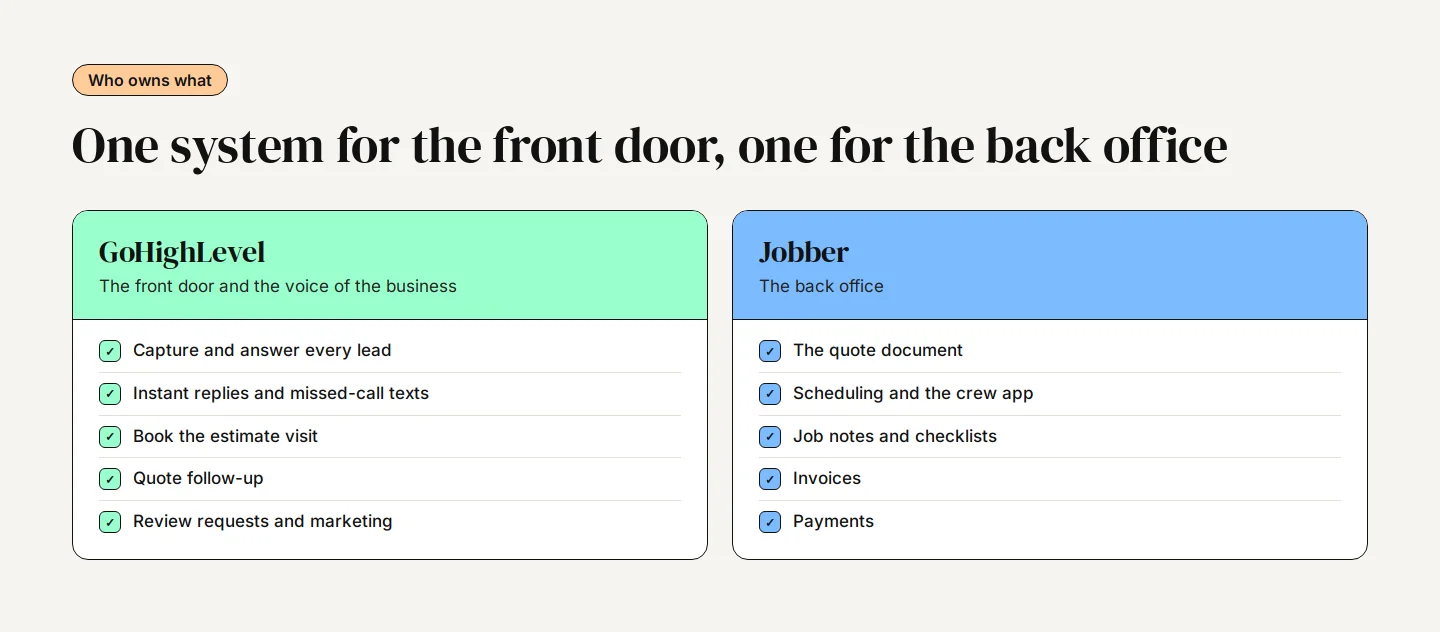
In this setup GoHighLevel is the front door and the voice of the business: it captures and answers every lead, books the estimate visit, chases the quote and asks for the review. Jobber is the back office: the quote document, the schedule, the crew app, the invoice and the payment. Client details flow both ways through the native app, and three or four Zaps carry the quote and job events that start and stop GoHighLevel's messages.
Do You Need Both Platforms?
Jobber has grown its own marketing tools. On Jobber's pricing page, checked November 2026, Connect (from $99 a month billed annually for one user) adds automated quote and invoice follow-ups, Grow adds two-way texting, and the Marketing Suite costs $99 a month on top for email campaigns, review requests and referrals. A small crew that mostly gets work by referral may not need GoHighLevel at all.
GoHighLevel earns its place once marketing drives your growth: paid ads, several lead sources, instant replies to every enquiry, longer nurture sequences, missed-call text-back, reporting by source, or an AI agent answering out of hours. If you're starting fresh, a ready-made plumbing snapshot shows what a home-service setup looks like out of the box.
If you want the two connected properly, without double texts or missing records, our build plans include connecting GoHighLevel to the rest of your stack, and a GoHighLevel account audit is a good place to start if the systems are already live and something isn't adding up.