



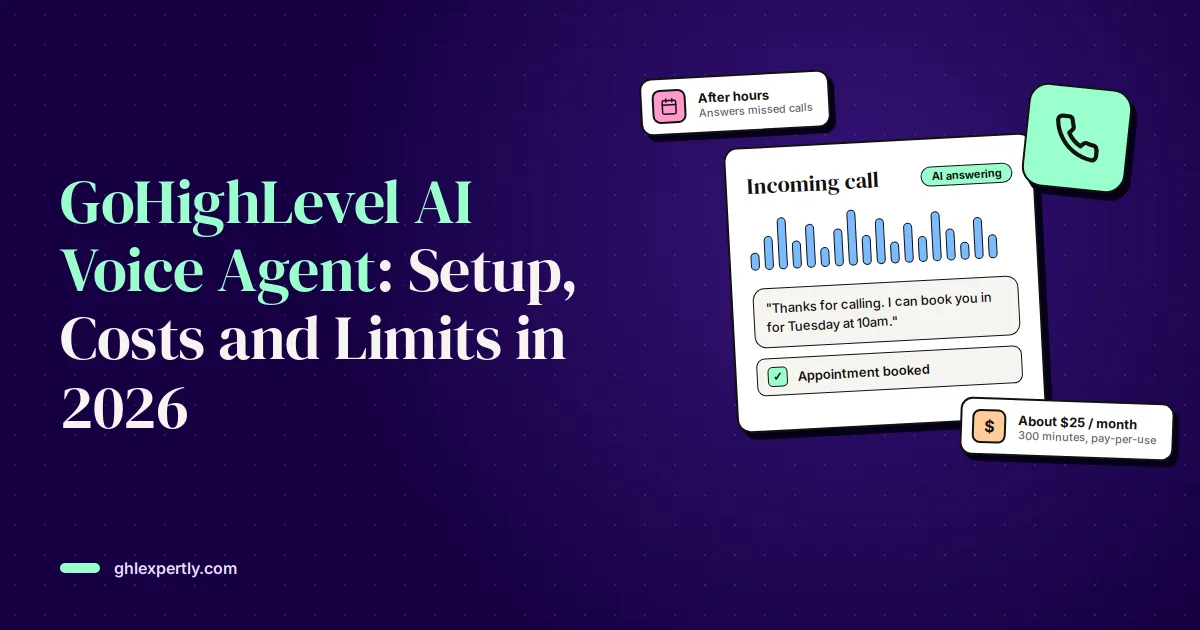
A GoHighLevel AI voice agent answers your business phone, talks to callers in a natural voice, books appointments straight into your calendar and passes the call to a person when it should. For a business that misses calls while on a job, after hours or at lunch, it turns calls that would have gone to voicemail into booked work.
This guide covers what Voice AI can and can't do in November 2026, how to set one up step by step, what it really costs for a typical small business, and the limits that catch people out, from the allowance that stops your agent mid-month to the consent rules for outbound AI calls. Prices come from HighLevel's AI product pricing and phone pricing articles, both updated in autumn 2026.
Quick Verdict: Worth It for Missed and After-Hours Calls
For most small businesses, the best first job for a voice agent is backup: answer the calls your team misses and the ones that come in after hours, book what it can and take a clean message for the rest. On pay-per-use, 300 minutes a month costs roughly $25 including phone charges. Start there, read the call logs for two weeks, and only then let it answer every call.
| Question | Short answer |
|---|---|
| Can it book appointments? | Yes, into one or several GoHighLevel calendars |
| Can it transfer to a person? | Yes, to a phone number, or to another AI agent |
| Can it make outbound calls? | Yes, from a workflow, with strict daily limits and your own legal responsibility for consent |
| Can it take payments? | Not by voice. It can text a payment link |
| Which numbers work? | LC Phone or Twilio numbers connected to GoHighLevel |
| Typical cost | About $25 a month for 300 minutes on pay-per-use, or $97 a month for unlimited use |
What the GoHighLevel AI Voice Agent Can Do
Voice AI is part of the AI Employee suite. Each agent has a prompt (its instructions), a voice, a knowledge base and a set of actions it is allowed to take during or after a call.
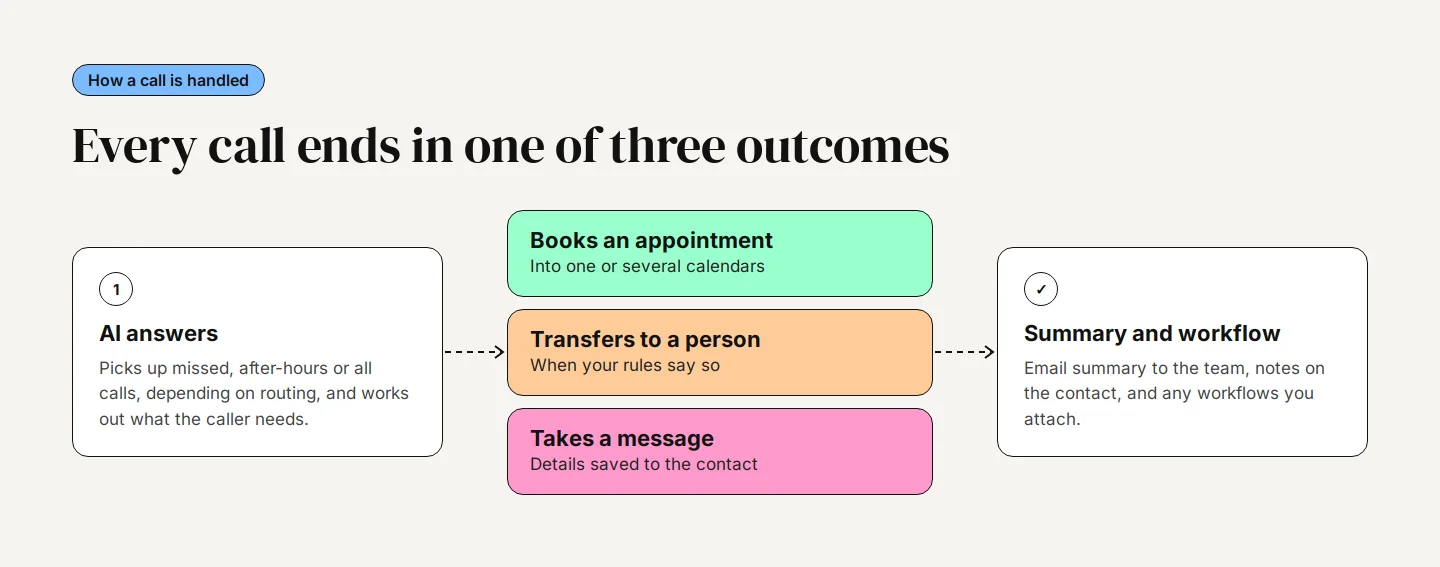
- Answer questions: From the prompt and an attached knowledge base: hours, services, service area, rough pricing, policies.
- Book appointments: Into a single calendar or several, choosing the right one from what the caller asks for. It respects availability, buffers and minimum notice.
- Transfer calls: To a team member's phone when a condition is met, such as an emergency or an angry caller, or to another AI agent.
- Collect details: Name, address, job type and anything else you define, written into contact fields.
- Act after the call: Email a summary to your team, save it to the contact's notes, send a text and start workflows.
- Call external systems: Custom actions send data to another system mid-call, for example to check a job status, and can use the answer in the conversation.
It speaks 53 languages, but a single agent can only switch mid-call between English and Spanish. For other language pairs, build one agent per language.
How to Set Up a Voice AI Agent, Step by Step
- Go to AI Agents, then Voice AI, and click Create Agent. Choose a prebuilt agent from the marketplace, a custom agent, or the flow-based builder.
- Name the agent, pick a voice and language, set the timezone, and write the welcome message callers hear first.
- Write the prompt. Say who the agent is, what it should find out, which topics are off limits, when to book, when to transfer and how to end the call. Tell it plainly not to guess.
- Add a knowledge base with your services, service area, hours and the questions customers really ask.
- Under Actions, add Appointment Booking and choose the calendar or calendars it may book into.
- Add a Call Transfer action with the number to ring and the condition that triggers it.
- Under post-call settings, choose who gets the email summary and which workflow runs when a call ends.
- Open the Deploy tab and assign a phone number, or buy one there.
- Test with a web call in the browser, then with a real phone call. Transfers only work on a real phone call, so always test both.
Answer missed and after-hours calls only
Under Deploy, Call Routing, choose Use as Backup instead of Answer Calls Directly. Your normal call routing rings first, and the agent picks up only if nobody answers. Set the number's incoming call timeout to around 20 seconds; too long, and your mobile's voicemail can answer before the agent does. To cover after-hours calls as well, give the agent a custom working-hours schedule for the hours you are closed.
This setup pairs naturally with a missed-call text-back: the agent handles callers who want to talk, and the text catches anyone who hangs up first.
Writing a Prompt That Books Jobs
The prompt decides most of the result. A short, specific prompt beats a long, clever one.
- Give it one goal: For example: book a free estimate visit, or take a detailed message if the caller doesn't want to book.
- List what to collect: Name, best number, address, the job and how urgent it is, in that order.
- Spell out transfers: Burst pipes, gas smells and existing customers with a problem go to a person straight away.
- Ban guesses: If it doesn't know the price or availability, it says someone will call back with the answer.
- Confirm details: Have it read back email addresses letter by letter. Names, emails and street addresses are where voice agents make most mistakes.
Read every transcript for the first two weeks. Each mistake usually points to a missing line in the prompt or the knowledge base.
What a GoHighLevel AI Voice Agent Costs
You pay for the AI and for the phone line, separately. Phone charges apply on every plan, including Unlimited.
AI Employee plans
| Plan | Price per sub-account | Voice AI included |
|---|---|---|
| Pay-per-use | No plan fee | None, every minute billed |
| Starter | $20/mo (agencies on the $497 plan only) | None, every minute billed |
| Growth | $50/mo | 100 minutes a month |
| Unlimited | $97/mo | Unlimited, subject to fair use |
Pay-per-use rates
Standard agents are billed as call minutes times the voice engine rate ($0.045 a minute) plus the text-to-speech rate, plus the AI model's tokens. OpenAI and Cartesia voices cost $0.015 a minute; premium ElevenLabs voices cost $0.035 to $0.17. Newer speech-to-speech models, which sound more natural and respond faster, have one all-in rate instead: $0.10 a minute for Gemini 3.8 Live, $0.12 for GPT Live 1 and $0.20 for GPT Realtime 2.
Phone charges
On LC Phone, a local number costs $1.15 a month, inbound calls cost $0.01165 a minute and outbound calls $0.0166 a minute. Calls are rounded up to the next full minute.
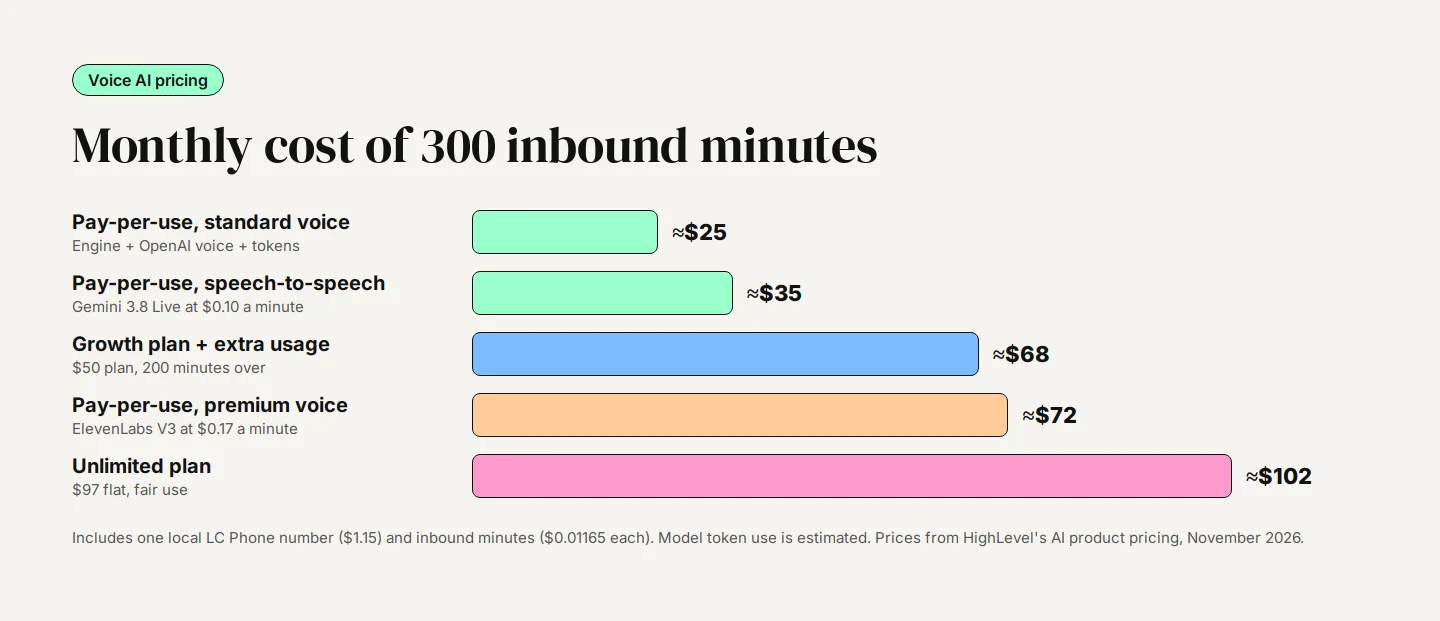
Worked example: 300 inbound minutes a month
| Setup | AI cost | Phone cost | Monthly total |
|---|---|---|---|
| Pay-per-use, standard voice | About $20 | About $5 | About $25 |
| Pay-per-use, speech-to-speech (Gemini 3.8 Live) | $30 | About $5 | About $35 |
| Growth plan plus 200 extra minutes | About $64 | About $5 | About $68 |
| Pay-per-use, premium ElevenLabs voice | About $67 | About $5 | About $72 |
| Unlimited plan | $97 | About $5 | About $102 |
The standard-voice figure assumes a mid-priced model and typical token use; a more expensive model adds a few dollars. With a standard voice, pay-per-use stays cheaper than Unlimited up to roughly 1,400 minutes a month. With a premium ElevenLabs voice, the break-even drops to around 450 minutes. Growth rarely pays for itself on calls alone, since its 100 minutes cost about $7 on pay-per-use; it earns its $50 if you also use its chat responses and other AI tools.
Bottom line: When an allowance runs out, Voice AI usage is paused by default. If you're on Growth, switch on Extra Usage in AI Suite, or your agent will stop answering partway through the month.
Outbound AI Calls: Limits and the Law
Agents can also place calls, through the Voice AI Outbound Call action in a workflow. Typical uses are calling back a web lead within a minute or confirming tomorrow's appointments. HighLevel's outbound calling article, updated September 2026, sets these limits:
- Up to 10 calls a minute and 5,000 calls a day per location; extra calls roll to the next day.
- Each number can be called once a day and no more than 14 times in 14 days.
- Calls only go out between 8am and 8pm in the contact's timezone, and only to numbers in the same country.
- You accept HighLevel's terms in the workflow action and complete identity checks first.
HighLevel no longer checks each contact's consent before an AI call goes out, so the legal risk sits with you. In February 2024 the FCC confirmed that AI-generated voices count as artificial voices under the Telephone Consumer Protection Act, which means you need the person's prior express consent before calling them with one. Only call people who asked to be contacted, such as a lead who just filled in your form and ticked a consent box, and turn on the AI disclosure greeting and verbal opt-out.
Several states, including California, Florida, Illinois, Pennsylvania and Washington, require everyone on a call to agree to it being recorded. Keep a recording notice at the start of AI calls.
Limits and Gotchas to Plan Around
- Transfers are a handoff, not a briefing: The call goes to the number you set. Warm transfer, where the AI briefs your staff first, is still an open request on HighLevel's ideas board, so send the summary by text or email too.
- Calendars, not services: The agent books into single or multiple calendars. It can't book GoHighLevel's Services booking type.
- One number, one job: A number already set up for a phone menu (IVR) can't also be assigned to an agent.
- Call length: Set a maximum call duration in the agent's call settings so a chatty caller or a stuck loop doesn't run up minutes.
- No payments by voice: Have the agent send a text with a payment link instead of taking card details on the call.
- Healthcare: HighLevel's HIPAA documentation doesn't list Voice AI as covered. If calls involve health details, get coverage confirmed in writing first. Our HIPAA guide explains what the add-on covers.
- Spam labels: A2P registration covers texts, not calls. For outbound calling, register caller ID through SHAKEN/STIR and CNAM in Trust Center, and expect that new numbers can still be flagged at first.
Who Should Use a Voice Agent
Good fit
- Trades and home services that miss calls while on site and lose jobs to whoever answers first.
- Clinics, salons and studios whose front desk can't answer during appointments.
- Businesses that get a steady flow of after-hours calls from ads.
Think twice
- Calls that need judgement on complex pricing, legal or medical questions.
- Very low call volumes, where a missed-call text already does the job for a few cents.
- Customer bases that strongly prefer a human voice, such as some older or high-value clients.
For a wider view of where voice fits alongside chat, review replies and content tools, see our AI features overview.
Getting It Set Up Properly
Most voice agents that disappoint were switched on with a generic prompt and never tested against real calls. The difference between an agent that books jobs and one that frustrates callers is the prompt, the routing, and two weeks of reading transcripts and fixing what went wrong.
Our AI voice agent setup add-on is $695. We set up the voice, the conversation and when it should hand over to a person, connect it to your calendar and routing, and test it against the calls you actually get. Prefer to keep building yourself? Our GoHighLevel specialists can review an agent you have already built.
Bottom line: The GoHighLevel AI voice agent is cheap to run and genuinely useful as a backup receptionist. Start with missed and after-hours calls, budget about $25 for 300 minutes on pay-per-use, keep outbound calls to people who asked for them, and read the transcripts until it sounds like your best team member.