


Website
13-Page Practice Website
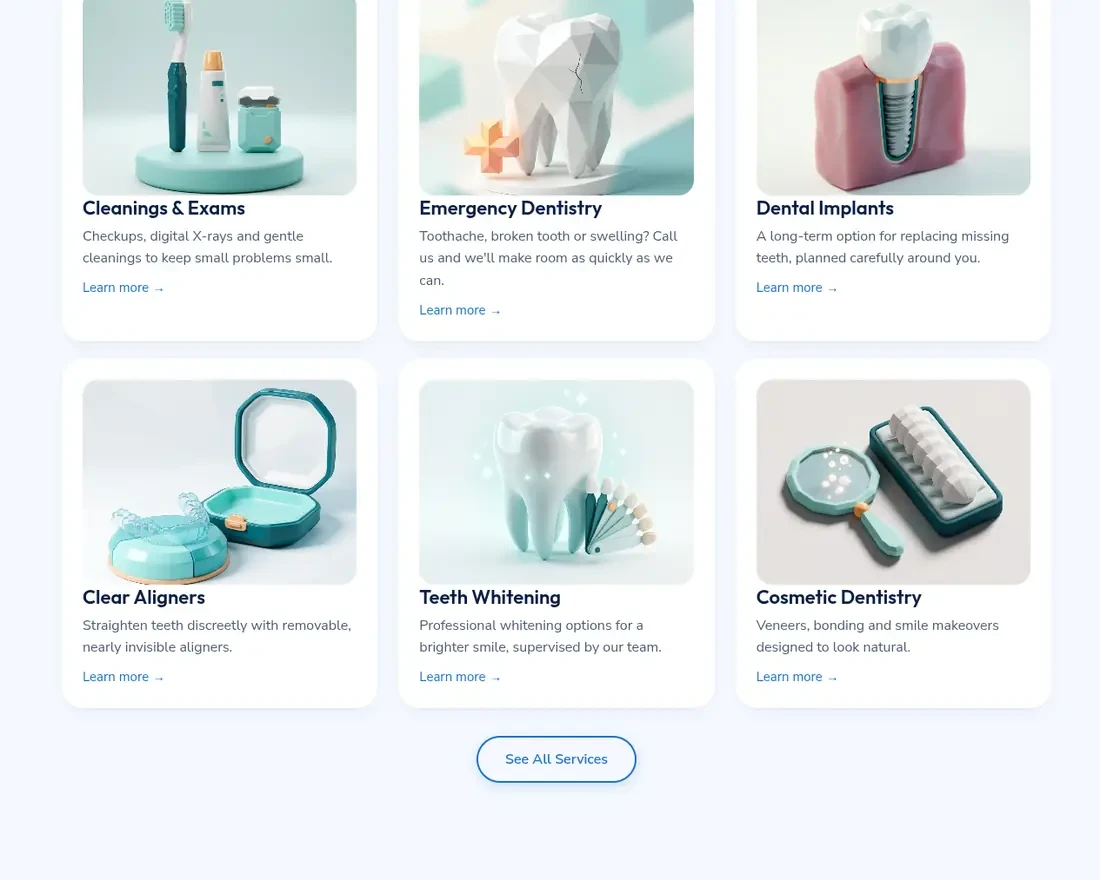
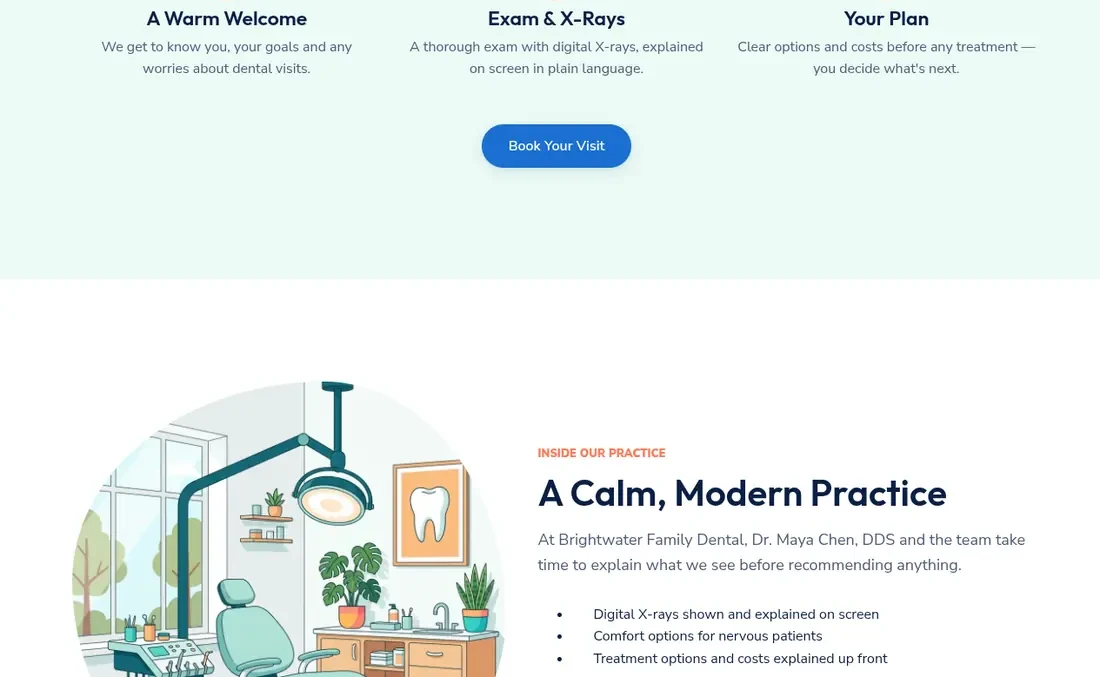
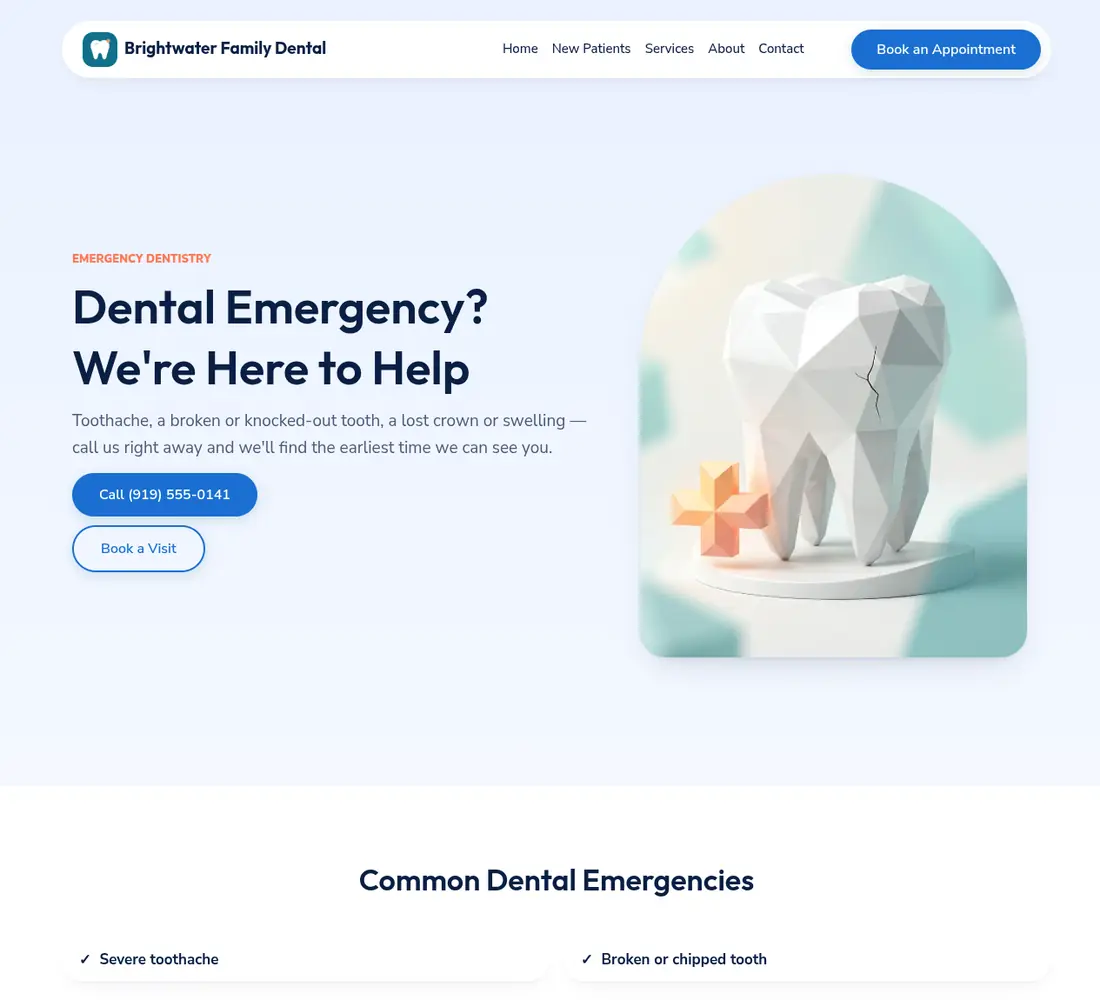
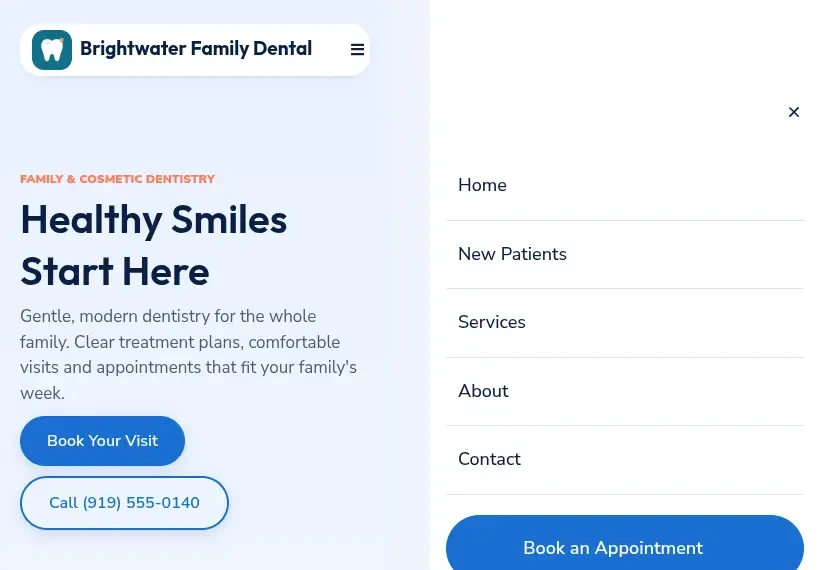
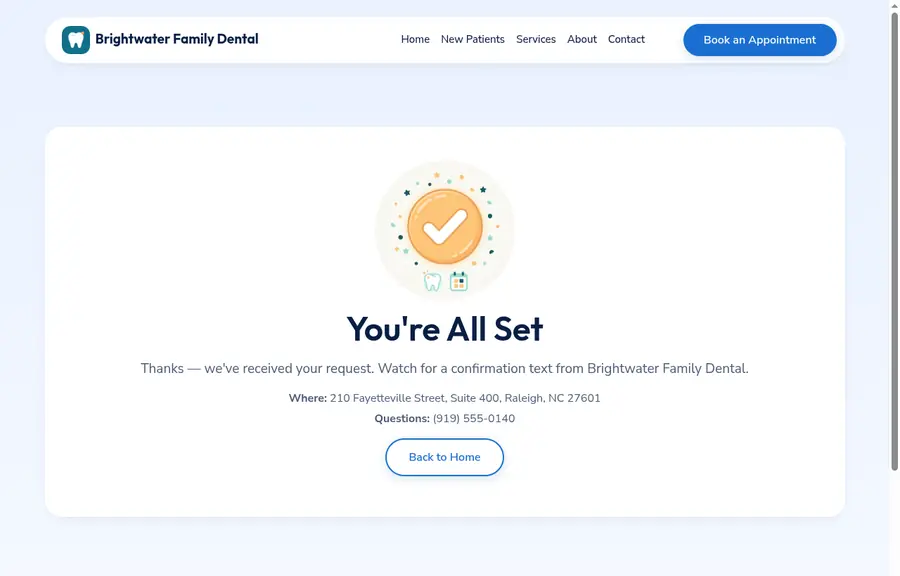
Home, Services, About, Contact, Book, and Thank You pages, a welcome page for first-time visitors, and six treatment pages for emergencies, implants, clear aligners, whitening, cleanings, and cosmetic work.
Dental Pro is a complete GoHighLevel snapshot tuned for dental practices: a 13-page website, a new-patient offer page, 20 pre-built workflows, three patient pipelines, and an AI receptionist, all configured from one settings screen.
$297 USD
Why practices switch
Practices rarely lose patients to the dentist down the road. They lose them in the gaps: the call nobody returned, the treatment plan nobody chased, the cleaning nobody rebooked. One snapshot, every patient touchpoint handled.
13
Website pages, six of them for individual treatments
20
Workflows organised across four folders
3
Pipelines from first enquiry to loyal patient
31
Custom values filled in a single pass
What's included
The snapshot includes every asset a solo dental clinic or a multi-location group needs to win, keep, and grow patients. It all lands in your GoHighLevel account in one step, and automations arrive in Draft so nothing sends until you publish.
Home, Services, About, Contact, Book, and Thank You pages, a welcome page for first-time visitors, and six treatment pages for emergencies, implants, clear aligners, whitening, cleanings, and cosmetic work.
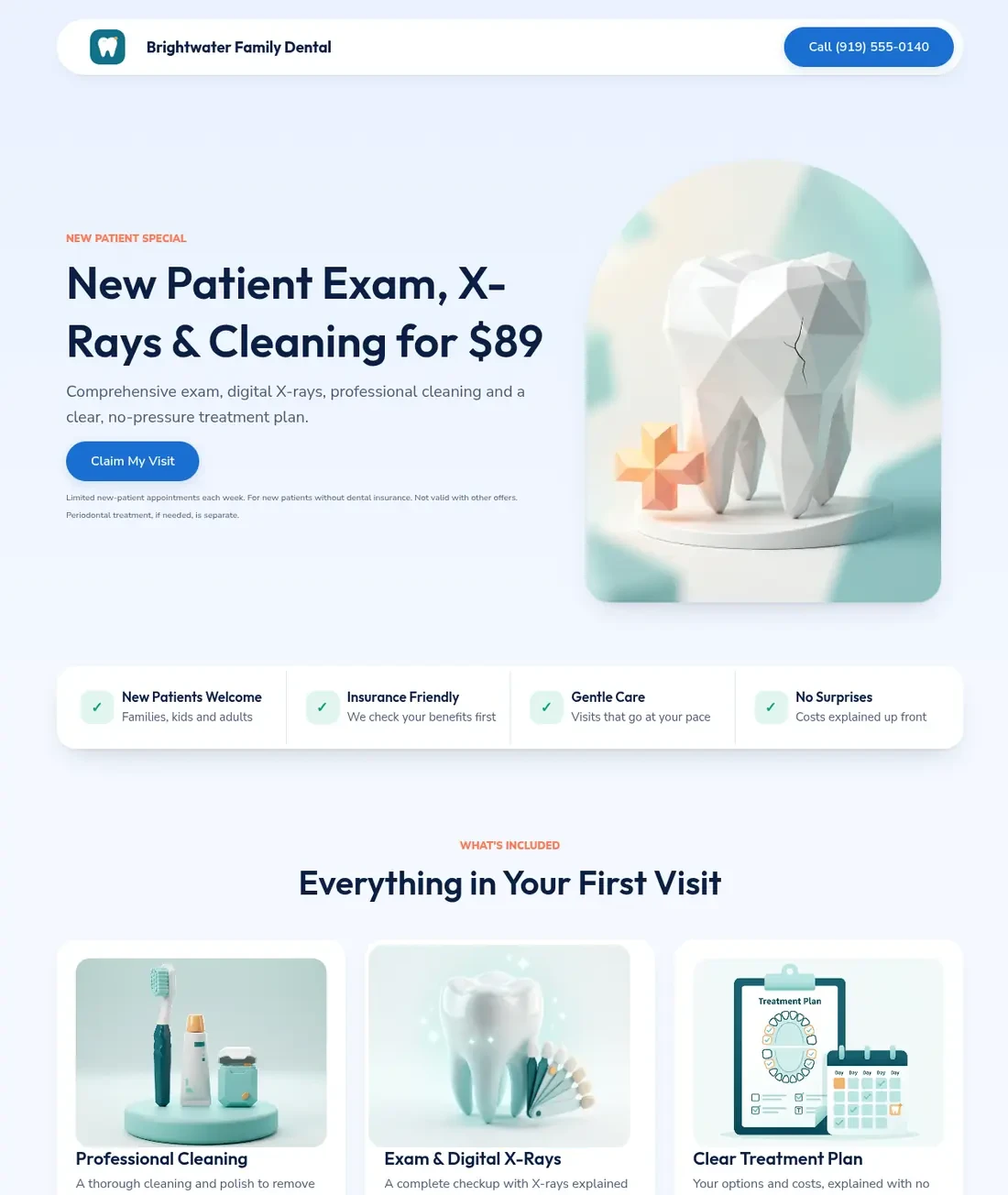
A focused offer page for ads with its own thank-you step and no menu to wander off into, built for lead capture and nothing else.
One internal form writes the practice name, dentist, hours, address, offer, links, and alerts into the site, forms, messages, and AI receptionist.
Every new enquiry gets an instant text and email, plus missed-call text back, confirmations, reminders, and no-show recovery.
A dedicated emergency form, an urgent team alert, a 30-minute escalation reminder, and clear 911 guidance for the cases that cannot wait.
Plan presented, questions, financing help, accepted: structured follow-up with a 30-day alert to call personally, so unscheduled treatment is never forgotten.
Recall automation starts after a cleaning, sends recare nudges when patients are due, and flags anyone overdue for the front desk.
Every patient gets a one-tap post-visit survey. Low scores alert you right away, and the system can ask happy patients for a Google review.
A website chatbot that holds a real conversation with patients, drawing on a 20-question knowledge base. It qualifies new patients and books the exam, and with the AI Employee add-on a voice agent answers the phone too. Ships switched off.
Acquisition pipeline
Pipeline stages move on their own as forms, bookings, and visit outcomes come in, so the CRM structure always shows where every patient stands.
How it works
A form, the offer page, a booking, a missed call, or the AI receptionist starts an instant text and email with a booking link. The form captures the patient's details and alerts the team.
Hi Sam, thanks for reaching out to Brightwater Family Dental! Grab a time that suits you right here.
Emergency requests alert the team immediately, with a reminder after 30 minutes if nobody has called back yet.
We got your message and are calling you now. If swelling affects your breathing, call 911 first.
A booking stops every chase sequence and starts confirmations and reminders with one-tap rescheduling, so the calendar stays full and no-shows drop.
You're booked for Thursday at 9:00 AM. Need to move it? Tap here to reschedule.
After the first exam, your team adds a single tag to the contact and the right follow-up sequence begins on its own.
Tag added: tx-presented. Treatment follow-up has started.
Questions, financing help, then accepted or deferred, with a personal-call alert at 30 days so nothing slips.
Any questions about your treatment plan? Flexible payment options are available if that helps.
About six months after a cleaning, reminders go out automatically and overdue patients are flagged for the front desk.
It's been six months already! Time to book your next cleaning and checkup.
Each visit triggers a survey and a review invitation, and post-op check-ins follow the procedures that need them.
How was your visit today? Tap a star to let us know.
A reply of STOP marks the contact Do Not Disturb across every channel, automatically.
STOP
Included website
Practice details appear automatically from the wizard, brand colours change in page settings, and every headline is editable in the builder, so customization takes an afternoon rather than a rebuild.
Included offer page
The prebuilt first-visit funnel is made for ads: a single offer, a single form, and its own thank-you step, so paid clicks never wander off into the rest of the site.
Inside the account
Workflows list
Create folder + Create workflow4 folders · 20 workflows · imported as Draft until you publish
Setup Wizard
Custom values
Search valuesShowing 8 of 31 · all filled by the Setup Wizard
Book a visit
First Exam & Cleaning
60 min
America/New_York
Thu, Dec 10
9:00 AM9:30 AM10:30 AM1:00 PM2:30 PMFull inventory
Day to day
Mark the appointment as showed, then add one tag. Everything below that runs on its own.
tx-presented Follow-up texts and emails, a financing offer, a 30-day call alert, then marked deferred
tx-financing Alerts your team and sends a gentle nudge after 3 days
tx-accepted Stops follow-up, moves the deal to won, and sends a thank-you
tx-completed Marks it complete and sends an aftercare message
Setup
Loading a snapshot into a location takes one click. The rest is about 45 minutes of setup plus A2P and DNS approval time, and a written playbook walks you through every screen.
Reminders, booking times, and reports all follow the account timezone, so this comes first.
Publish the wizard workflow, fill in the internal form once, then set it back to Draft. Every custom value fills in.
Buy or port a number, complete A2P 10DLC registration, and add your sending domain with SPF, DKIM, and DMARC.
Point your domain at the website, offer page, and blog, keep the shipped page paths, and publish the articles you want live.
Add dentists and hygienists to each visit type and confirm availability, or the booking widget shows no times.
Point Book Online, Leave a Review, and Refer a Friend at your live pages and review link.
Once texting and email work, publish everything except the Setup Wizard.
Optional. Edit the AI prompt, test it in the agent panel, then deploy it to your channels.
Optional. Bulk-upload the 90-day social pack and import past patients with the included template to start a revival campaign.
How it compares
| Area | A blank HighLevel account | Dental Pro |
|---|---|---|
| Website | Designed and written from scratch | 13 pages, six treatment-specific, filled by the wizard |
| Lead follow-up | One generic sequence, if any | Instant text and email, missed-call text back, and no-show recovery |
| Emergencies | Treated like any other enquiry | A dedicated form, urgent alerts, and a 30-minute escalation |
| Treatment plans | Remembered by whoever presented them | A tag-driven sequence with financing help and a 30-day alert |
| Recall | Manual lists and phone calls | Automatic six-month reminders and overdue flags |
| Reviews | Asked for when someone remembers | A survey after every visit with low-score alerts |
| Compliance | Up to you to research | Consent text, opt-out handling, and careful clinical wording built in |
Compliance notes
Every form carries SMS consent, the first text in each sequence includes opt-out wording, and STOP is honoured automatically.
Pages, posts, messages, and the AI receptionist avoid promises about results, and each treatment page carries clear caveats.
Emergency guidance points to 911 for swelling that affects breathing, uncontrolled bleeding, or facial injury.
Check that your first-visit offer is allowed in your state. HighLevel messaging is not HIPAA-certified, so keep every message to scheduling only.
The snapshot is written to keep you on the right side of common rules; you remain responsible for how you use it.
Comparing top GHL snapshots for other niches? Browse the full snapshot library, see our real estate snapshot, or find Dental Pro in the store listing.
Buy Dental ProDental Pro is GHLExpertly's GHL snapshot for dental teams. It uses HighLevel's account snapshots feature to copy a website, offer page, workflows, forms, pipelines, and an AI receptionist into your account in one step.
Most templates stop at a website and a single follow-up. Dental Pro covers the whole patient lifecycle, from the first enquiry through emergencies, treatment plans, recall, and reviews, and ships with guardrails for texting consent and clinical wording.
Dental Pro is $297 USD, and checkout runs through the platform's own secure store cart. Want it installed and connected for you instead? Book a call and we will scope a done-for-you setup.
Any plan where you have your own location works, from Starter through SaaS Pro. If you run an agency account, load it into each client's location. Not on the platform yet? Go HighLevel offers a free trial, and the AI receptionist may need the AI Employee add-on.
The import takes a few minutes. Plan on about 45 minutes for the wizard and connections, plus waiting time for A2P 10DLC and DNS approval, which can take several days. Prefer a hand? Our GoHighLevel setup team can do it for you.
Yes. Agencies can deploy it to as many sub-accounts as they manage, with onboarding handled by the wizard each time. You can also receive referral payments through the HighLevel affiliate program when practices sign up.
Dental Pro runs natively in the platform, so it works without add-ons. If you want new contacts pushed into your practice management system, a webhook step can send each record wherever you need it.
The messaging layer is not HIPAA-certified, so Dental Pro keeps texts and emails to scheduling and reminders, and its pages and AI replies avoid clinical details or promises about results.
A written setup guide, email support with replies within one business day, and a walkthrough call if you want one. Platform questions outside the snapshot go to the HighLevel support portal.
Yes. Once deployed it answers around the clock, either in Suggestive mode, where your team approves each reply, or Auto-Pilot, where it responds on its own. It ships switched off so you can test it first.
Review requests are built in, and you can switch on Reviews AI inside the platform to auto-reply to Google reviews in your practice's voice.
Dental Pro · $297 USD
Buy it today and run the Setup Wizard this afternoon, or book a free call first and we will confirm it fits your practice before you commit.
Questions first? Chat on WhatsApp